App-controlled lights can make everyday routines easier, from a softly lit hallway at night to a brighter kitchen for meal preparation. The best options are not always the most expensive or feature-packed. Check whether bulbs, switches, and hubs work with your existing fixtures and phone before buying. Some products connect directly to Wi-Fi, while others need a separate hub. Small details matter. A lamp tucked behind a sofa may need a stronger signal, and a wall switch left off can make a smart bulb seem unresponsive. Not every room behaves alike.
How to set up an app-controlled lighting system at home? Begin by listing the rooms and lights you want to control, then check your home network and each product’s compatibility requirements. Many devices use a 2.4 GHz Wi-Fi network, but specifications vary, so confirm them with the manufacturer. Install the app, follow its pairing steps, and give each light a clear name, such as “bedside lamp.” Test one light first. This makes it easier to spot connection or setup issues before adding more devices. You can then create practical schedules, adjust brightness, and group lights by room. Keep basic wall controls accessible, and review app permissions before enabling optional features. A little trial and error is normal; schedules may need adjusting as your household’s routines change. The aim is reliable, comfortable lighting, not a complicated setup.
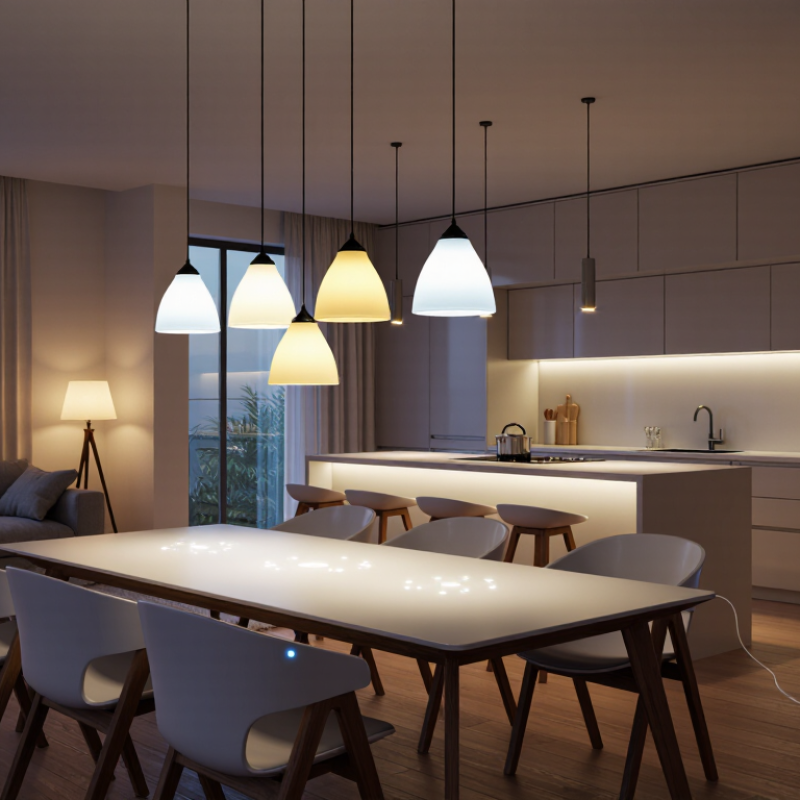
App-controlled lights connect to a phone through Wi-Fi, Bluetooth, or a separate hub. The app can adjust brightness, change colors, and set schedules. A warm, dim setting may suit a bedside lamp, while brighter light helps with reading. Features vary, so check whether the light needs a hub and whether it works with your home network before buying.
Setup is usually simple: install the bulb, open the app, and follow its pairing steps. Still, a weak signal or a phone connected to the wrong network can interrupt setup. Some apps offer timers, room groups, and voice control. These features are useful, but not everyone needs them. Color can also look different on a painted wall than it does in product images. There isn’t one perfect setting.
Tips: Test the light in its intended room before creating schedules. Keep the physical switch accessible, and use a unique account password. If pairing fails, move closer to the router and check the app’s permissions. That small extra step can save time.
Understanding App-Controlled Lights and Their Key Features
How to read this chart: These are representative color-temperature settings commonly used for warm, neutral, and cool white light. App-controlled lights that support adjustable white tones let you choose settings to suit different activities and rooms; available ranges vary by product.
Smart bulbs are the simplest option when a room already has compatible sockets. Screw one in, connect it through the lighting app, and set brightness or color by room. Check the bulb base and fixture rating before buying; enclosed shades can also affect heat handling. Keep the wall switch on, or the bulb may go offline when someone switches it off. A small hallway is often easier to outfit with one bulb than several accessories. Simple, but not flawless.
Light strips suit shelves, desks, and the back edge of a television, where a bulb cannot hide its source. Measure the route first, including corners and the path to an outlet. Clean, dry surfaces help the adhesive hold, and strips should only be cut at marked points. One practical drawback: the power lead can remain visible. Not every corner needs color.
App-controlled fixtures offer a more finished look, especially when replacing an old ceiling light, but installation takes more planning. Confirm the fixture’s dimensions, wiring needs, and app compatibility; for hardwired changes, use a qualified installer if you are unsure. Fixtures can give even room-wide light, while strips create accents and bulbs provide flexible, focused control. I would compare the actual mounting space before choosing, since product photos make all three options look easier than they sometimes are.
App-controlled lights work best when they fit the home’s existing network and routines. Start by matching the light to its location: a reading lamp needs different brightness from a hallway fixture.
Check whether the light connects directly to your Wi-Fi or needs a separate hub. Also confirm compatibility with your phone’s operating system and any voice assistant you already use. Small detail matters.
Look for clear information about dimming, adjustable white tones, and minimum or maximum brightness. These details affect how a room feels at breakfast, during evening reading, or when someone gets up at night.
Before buying several lights, test one in the intended room and follow the setup instructions. A weak signal near a back bedroom can cause delays or dropped connections, even when setup seems easy.
It is tempting to choose lights by features alone, but app permissions and account requirements deserve a quick check too. Keep the setup simple enough for everyone at home to use; a clever routine is less helpful if nobody remembers how to change it.
Before buying or installing app-controlled lights, check the bulb base, fixture rating, and connection requirements. Many models use 2.4 GHz Wi-Fi, but some need a separate hub. Read the setup label before removing the old bulb. Keep the phone near the lamp and connect it to the correct home network. Small details matter. A dimmer switch may also affect compatibility, so check the light’s instructions before pairing.
Open the light’s app, create a room, and follow its pairing steps while the bulb is powered on. If it does not appear, switch the lamp off and on, then try again. Avoid sharing account passwords; grant only the app permissions needed for setup. The U.S. Department of Energy’s Energy Saver guidance says LEDs use at least 75% less energy and last up to 25 times longer than incandescent bulbs. That is useful context, though app control alone does not guarantee lower energy use. Schedules and dimming can help, but a rushed setup may leave lights offline or assigned to the wrong room. Check each light from the doorway before putting the phone away.
Managing rooms, schedules, and lighting scenes becomes easier when the app mirrors your home. Group lights by room, then name them clearly, such as “desk lamp” or “hallway.” This prevents confusing lists at night. A 2024 International Energy Agency report notes that lighting uses about 15% of global electricity consumption. Efficient LED lighting can reduce that demand. The U.S. Department of Energy reports that LEDs use at least 75% less energy than incandescent bulbs and can last up to 25 times longer.
Schedules help control daily routines. Set hallway lights to fade on before sunrise, then switch off after school hours. Use motion-based scenes for entrances, but keep bedroom lighting manual if privacy matters. A warm evening scene near 2,700 Kelvin feels softer than bright, cool light. Many apps also support separate rooms, brightness limits, and vacation schedules. These controls are useful, though setup is not always effortless. I still forget to update one schedule after changing my routine.
Tips: Start with two rooms, not the whole home. Use consistent names and test every schedule for three days. Keep one physical switch accessible. Check energy reports monthly, but treat them as estimates. The ENERGY STAR Connected Criteria emphasizes interoperability, security, and reliable user control, so review app permissions and update firmware regularly. Fancy scenes are enjoyable, but simple automation usually survives busy weeks.
Check the bulb base, fixture rating, Wi-Fi requirements, and dimmer compatibility. Read the setup label before removing the old bulb.
Keep your phone near the lamp and connect it to the correct home network. Some lights require 2.4 GHz Wi-Fi or a separate hub. Switch the lamp off and on, then retry pairing.
Grant only the permissions needed for setup. Avoid sharing account passwords. Small details matter.
Group lights by room and use clear names, such as “desk lamp” or “hallway.” Check each light from the doorway to confirm its room.
Schedules and dimming can help, but app control alone does not guarantee savings. LEDs use at least 75% less energy than incandescent bulbs, according to the article.
Set hallway lights to fade on before sunrise and switch off after school hours. Test each schedule for three days. I sometimes forget to update mine.
A warm scene near 2,700 Kelvin can feel softer than bright, cool light. Keep bedroom lighting manual if privacy matters.
Start with two rooms, keep a physical switch accessible, and update firmware regularly. Check energy reports monthly, but treat them as estimates.
App-controlled lights make home lighting more flexible, convenient, and personalized. They connect to a mobile app through a suitable wireless network, allowing users to adjust brightness, color temperature, or color effects from a phone. Smart bulbs are simple replacements for existing bulbs, light strips add decorative accents to shelves and cabinets, and smart fixtures provide a more integrated solution for ceilings or larger spaces. The best choice depends on room size, installation needs, desired lighting effects, and compatibility with your existing app ecosystem.
How to set up an app-controlled lighting system at home? Start by installing the bulb, strip, or fixture according to its instructions, then download the matching mobile app and connect the light to your home network. After pairing, organize lights by room, assign clear names, and test basic controls. The app can also create schedules, automate daily routines, and save lighting scenes for activities such as reading, relaxing, or entertaining. With thoughtful placement and simple organization, app-controlled lighting can make everyday home management easier and more comfortable.
LuxPower Light